Obsidian Wolf ← main site
$ ./lupenote --open

Lupenote

Notes, checklists and PDFs, kept on your phone.

A private notes app for Android with a keyboard of its own. Write, link and find everything in one Library, and read, mark up and sign your PDFs beside your notes. No account, no ads, no analytics of our own.

  • Android 8.0+
  • Free to download
  • No account
  • No ads
  • No analytics of our own
  • Pro: one-time purchase
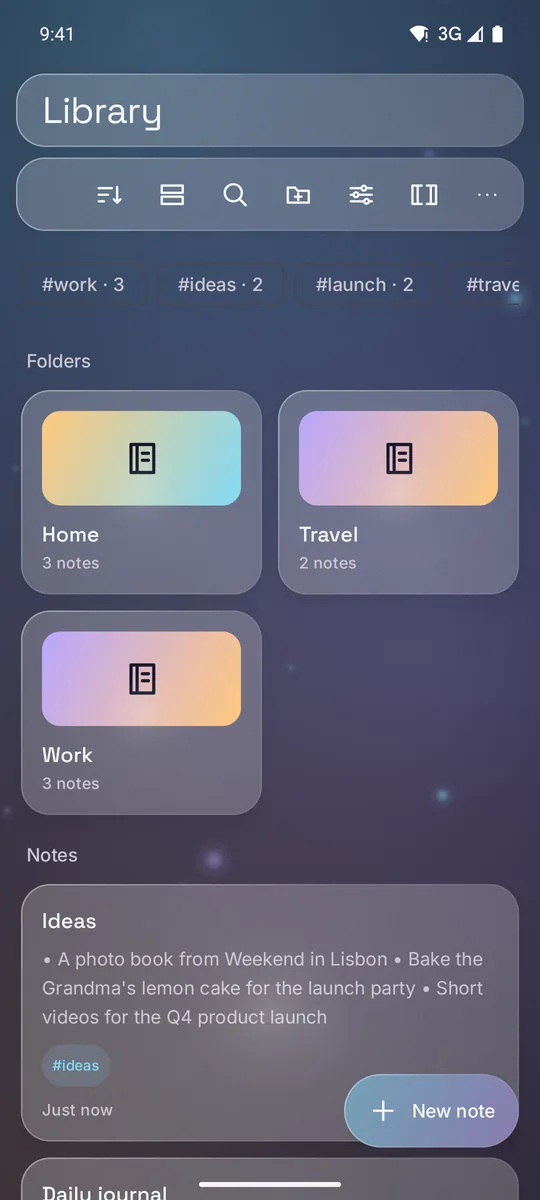
The Lupenote Library on a phone: tags, folders and notes together on a warm amber glass background
$ cat about.txt

About Lupenote

Lupenote keeps your notes, checklists and PDFs together in one Library, on your phone. Write with headings, lists, tables, pictures and voice recordings; link notes to each other, tag them, and find any word, even one in a photo or a scanned page. Notes are plain Markdown underneath, so nothing is locked in.

Notes can hold videos and code, colored for 19 languages, and sit on lined, squared or dotted paper. Select several notes to move, tag, merge or export them at once, build a PDF from scratch, and on a tablet keep the Library beside the note.

It brings its own keyboard, in 42 styles with their own key sounds, and PDFs open in the same Library to read, mark up, fill in and sign. Everything stays on the phone: no account, no ads, no analytics of our own. The app and single notes can be locked, backups are encrypted, and every note keeps a daily version for 30 days.


42keyboard styles
39keyboard languages
90fonts
50note papers
24short tutorials
0accounts, ads, analytics of our own
$ ls features/

What it does

The Library with tag chips, three folders and a note card

// one library

Everything in one place

Notes, checklists and PDFs live side by side, the way you think about them, not split across three apps.

  • Folders inside folders, tags, sort and filters
  • List, grid or a browser view with folders as a tree
  • Pin, favorite, color and archive notes; a trash that keeps them for 30 days
  • Start a note from a template, or save your own
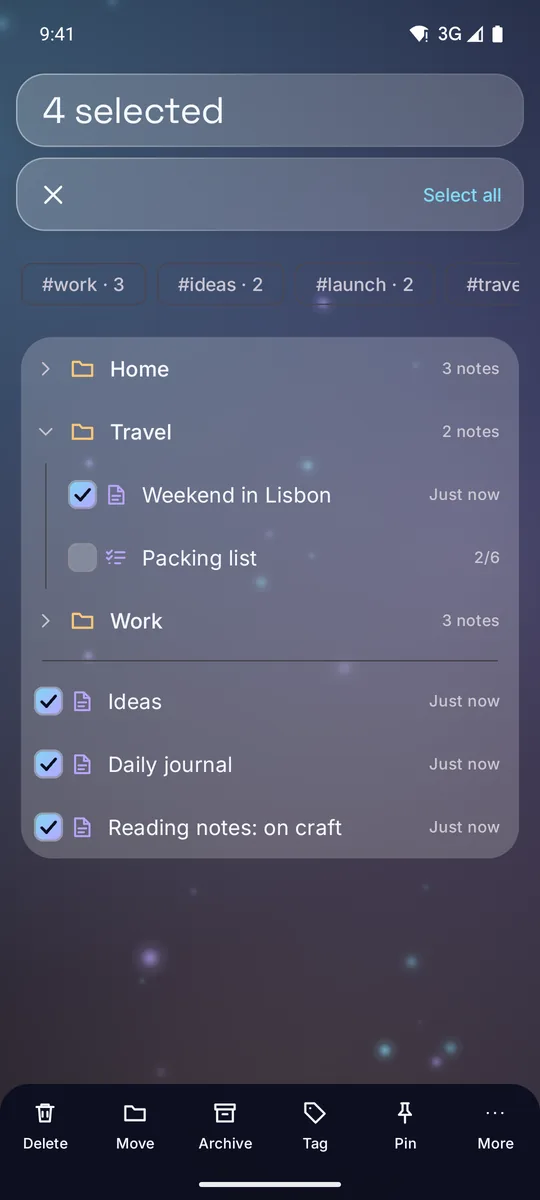
Four notes selected in the Library, with Delete, Move, Archive, Tag and Pin along the bottom

// select several notes

Many notes, one move

Hold a note and choose Select, then tick more, even across folders. Whatever you do next happens to all of them.

  • Delete with Undo, move, archive, tag, pin, favorite or color them
  • Merge them into one note, or copy them to a new folder
  • Export them as a zip of Markdown files
  • Or as one PDF PRO
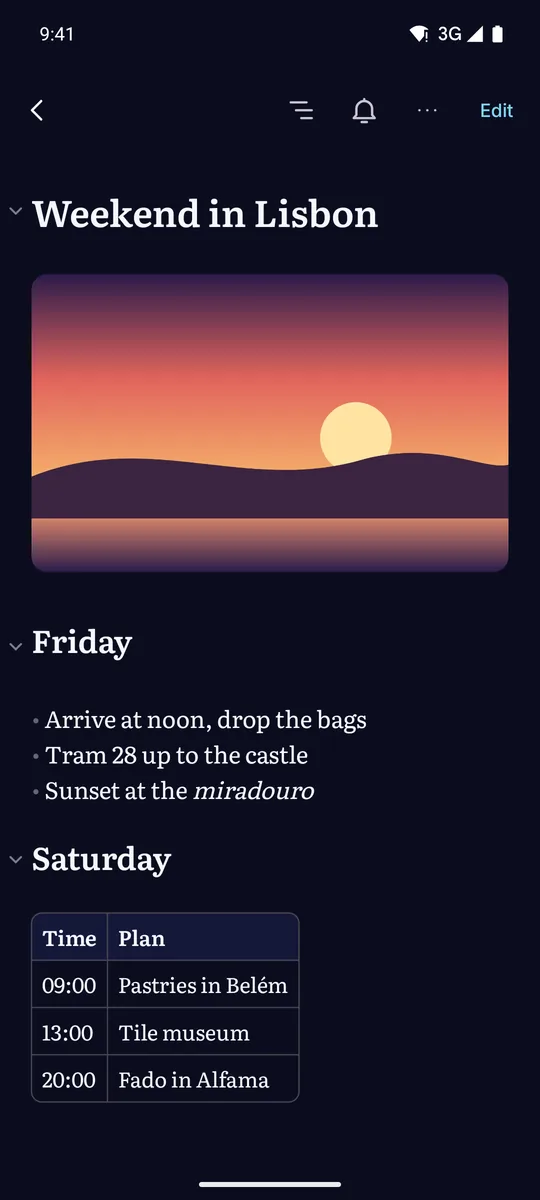
A note with a picture, a table and folding headings

// write freely

Write the way you think

Headings, bold, lists, tables and checklists as you type, with pictures, photos, videos and voice recordings right in the note.

  • Voice recordings with the words you speak written out, on the phone
  • Videos from your gallery or the camera play inside the note
  • 50 note papers: lined, squared, dotted, colored and themed (5 free, the rest Pro)
  • Fold long sections away, jump around with the outline, and find and replace
  • Plain Markdown underneath: export it any time, nothing is locked in
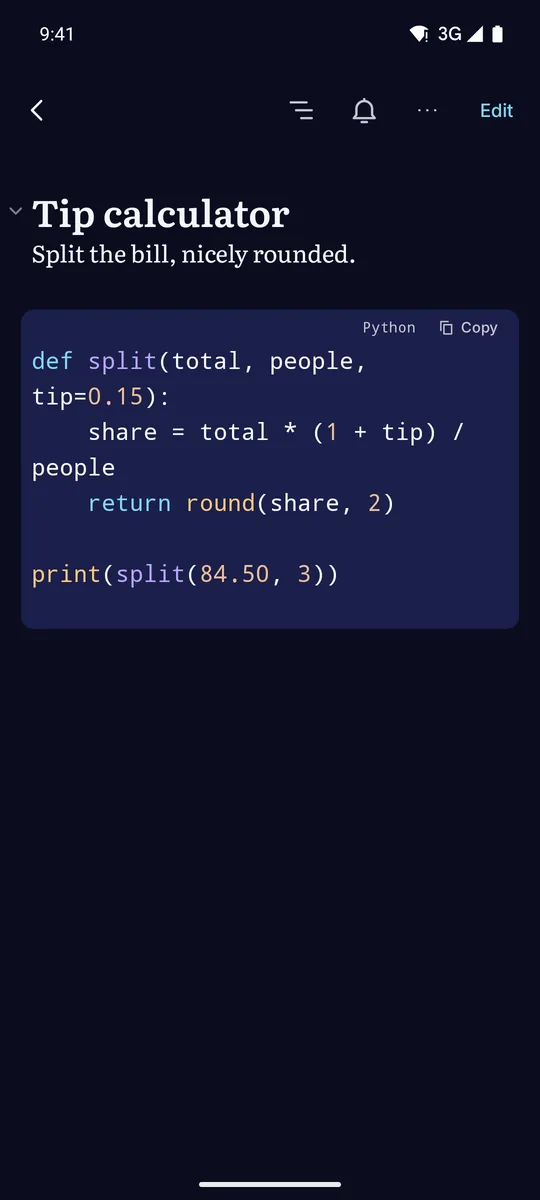
A note with a block of Python in color, its language label and a Copy button

// code in color

Notes that speak code

Code blocks are colored for 19 languages, each with its language and a Copy button, and the colors carry into HTML and PDF exports.

  • A code row on the keyboard, auto-indent, Tab, and brackets and quotes that close themselves
  • Code files with line numbers, saved or shared as real files, like script.py
  • Find and replace with match case, whole word and patterns
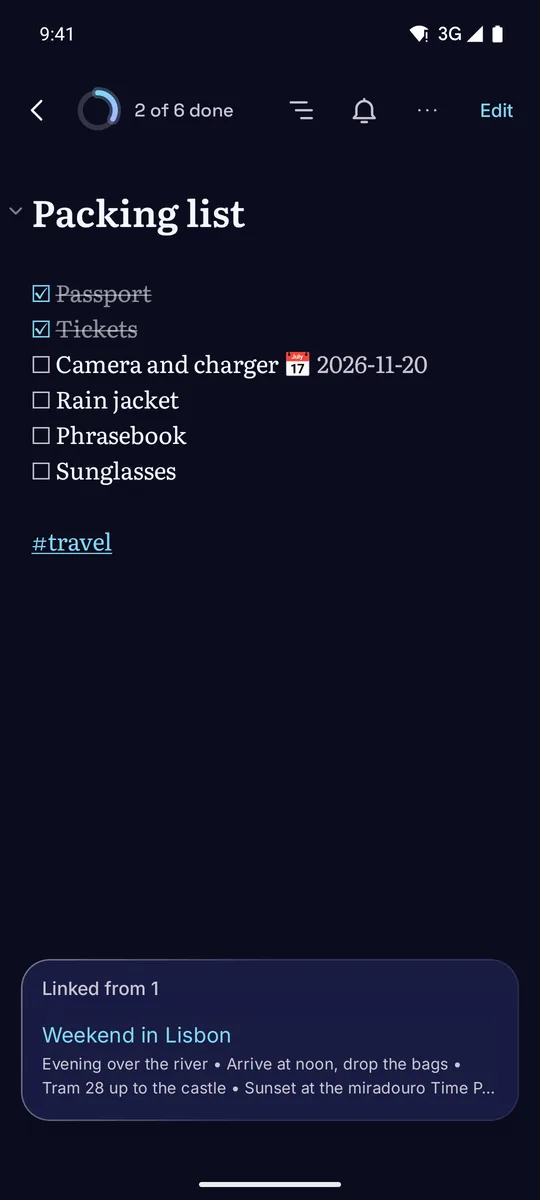
A checklist with a due date on one item, and the note that links to it

// checklists that keep up

Lists that remember for you

Give a single item a due date and a reminder, or put a reminder on any note.

  • Due dates and reminders on single items
  • Checklists that untick themselves every day, week or month, with a history of each round PRO
  • Reminders for any note, once or on repeat (repeats are Pro)
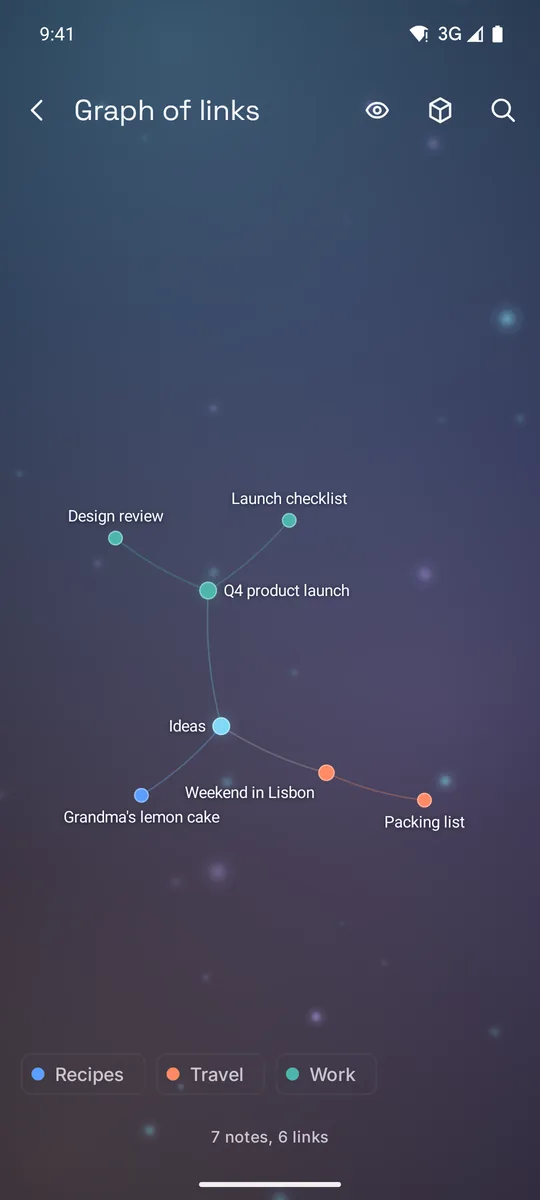
The graph of links: notes as glowing colored dots with their names, joined by lines

// link your thinking

Notes that point to each other

Type [[ and Lupenote suggests the note you mean. Every note shows what links to it, so ideas find their way back.

  • [[Links]] suggested as you type, kept right when a note is renamed
  • "Linked from" on every note, and # tags
  • The graph of links: notes in color with their names, a spotlight on the one you tap, search, and a 3D view PRO
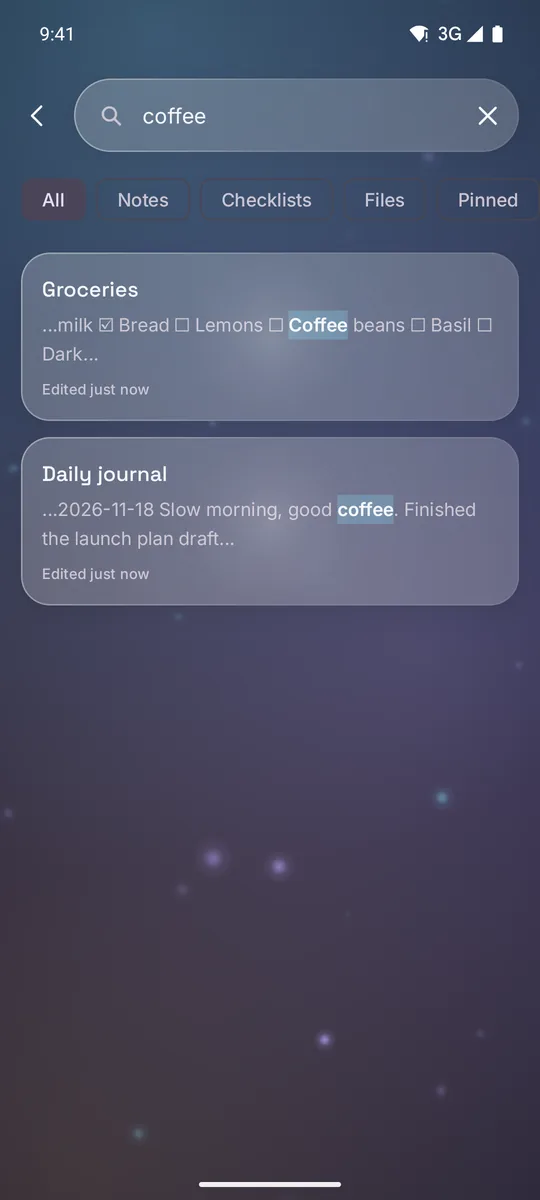
Search results finding a word across notes and pictures

// find anything

Every word, even in photos

Search every note and PDF at once. Words in your photos and scanned pages are read on your phone, so search finds those too.

  • One search for notes, checklists, PDFs and pictures
  • Words in pictures and scans are read on the phone, never uploaded
  • Archived notes stay searchable
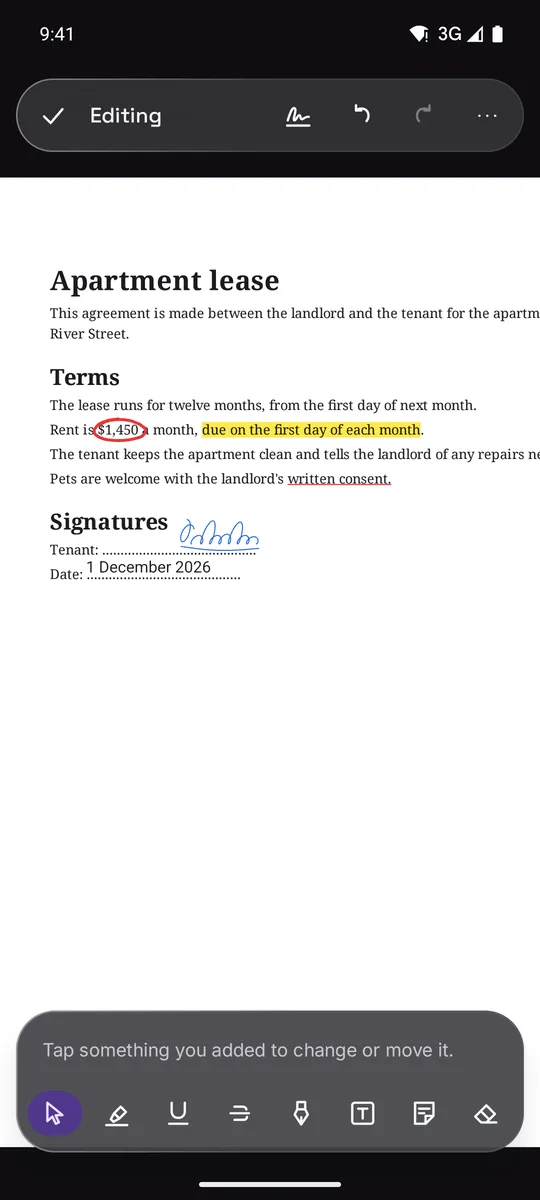
A lease PDF, highlighted, circled, filled in and signed in Lupenote

// pdfs, done properly

Read it. Mark it. Sign it.

Open, read, search and copy from any PDF for free. With Pro, write on it, fill it in and sign it. The original file is never changed.

  • Highlight, underline, draw and type on PDFs; fill in forms and sign them PRO
  • Move, turn, add and remove pages, saved as a new PDF PRO
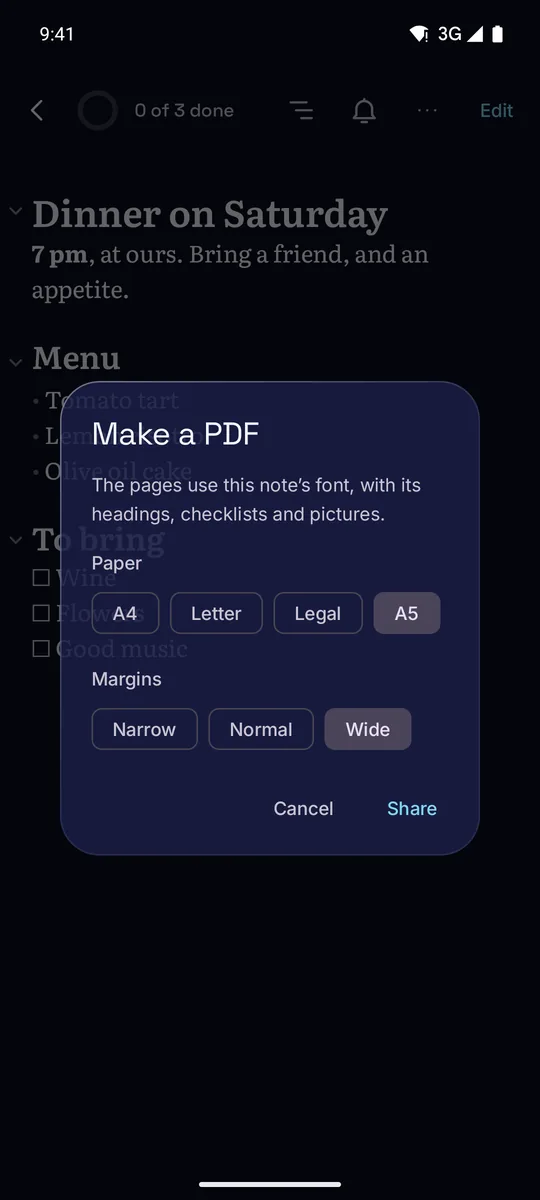
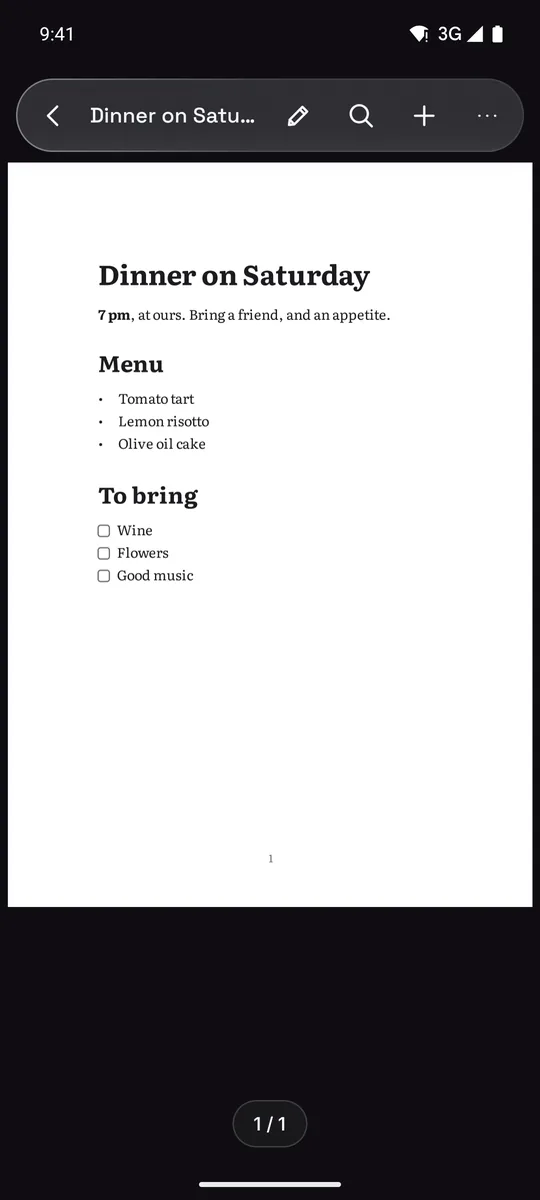
  • Turn any note into a PDF in its own font, on A4, Letter, Legal or A5 paper PRO
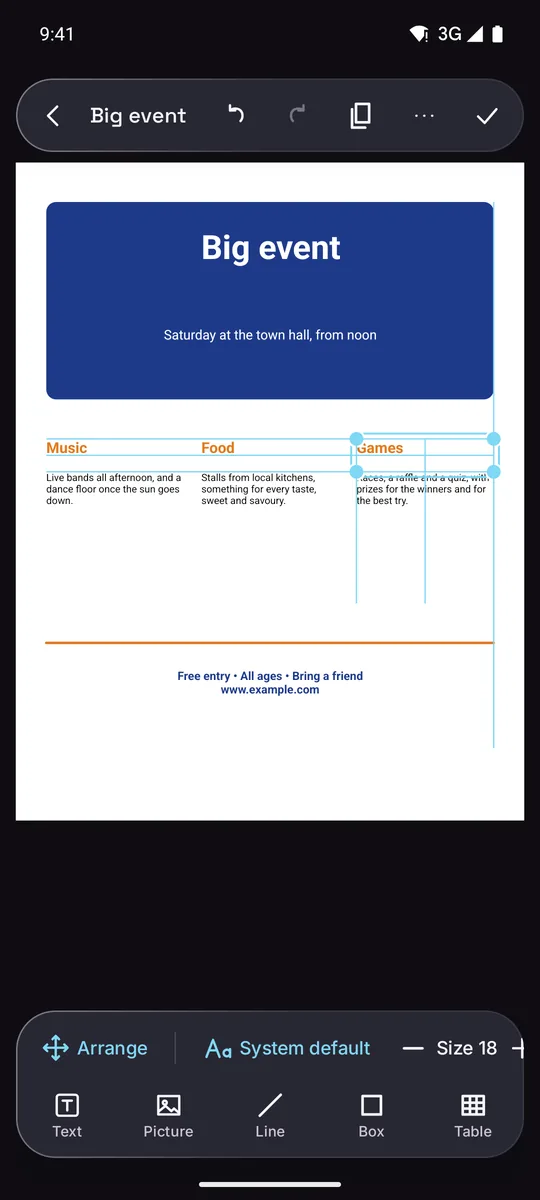
Building a PDF flyer: guide lines show where a block lines up, with Text, Picture, Line, Box and Table tools below

// build a pdf

Design a page from scratch

Start a new PDF from one of five layouts and lay out the page yourself. It saves as a real PDF with real text, and you can reopen the design to change it. PRO

  • Text, pictures, lines, boxes and tables, with a header and footer and page numbers
  • Guides and snapping line things up as you drag, with a grid if you like
  • Arrange: line up, nudge, and bring forward or send back
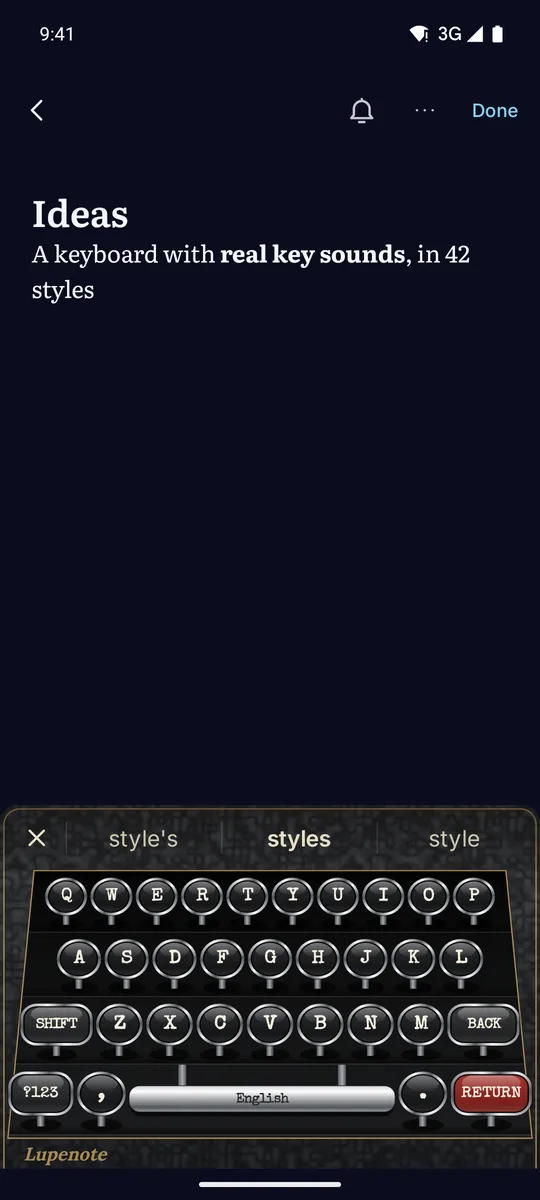
Lupenote's own keyboard in its typewriter style, with round keys on metal stems

// a keyboard of its own

Type on something beautiful

Lupenote brings its own keyboard: 42 styles, from typewriter to mechanical, each with its own look and its own key sounds. Among the newest: Lily pad, Pop-it, Kinetic sand, Cookie crunch, Rubber duck and a buckling-spring classic.

  • 39 languages, with word suggestions and emoji
  • A row of formatting tools for notes, and a row for code
  • Switch styles from inside a note; 4 are free, the rest with Pro
  • It works inside Lupenote only, and nothing you type leaves the app

Also inside

[WIDE]

Tablets

On a tablet or a wide screen the Library sits beside the open note, PDFs show two pages side by side, and the keyboard grows to fit.

[HOME]

Home screen

A quick note widget, free. With Pro: pinned and recent notes, checklist, voice note-to-self, one chosen note and sticky calendar widgets, and a Quick Settings tile.

[LOOK]

Liquid glass

A liquid glass look in light and dark, color themes, gentle effects and 90 fonts, 10 of them free.

[TOUR]

Guided tour

A short welcome tour and 24 tutorials that show each feature on screen, any of them replayable from Settings.

[TIME]

Version history

Every note keeps a daily version for 30 days. Compare with today, or restore an earlier one.
[SAFE]

Backups and locks

Encrypted backups saved where you choose, and export as plain Markdown files. Lock the app, or single notes, with a PIN or your fingerprint.

$ ls screenshots/

Screenshots

The Library: folders, tags and notes together
Four notes selected, with what can be done to all of them
A note with a picture, a table and folding headings
Python in color, with its language and a Copy button
A code file, with line numbers
A checklist with a due date, and the note that links to it
Lupenote's own keyboard, in its typewriter style
The graph of links (Pro)
Search finds every word
Marked up, filled in and signed (Pro)
Building a PDF: guides show where a block lines up (Pro)
Any note into a PDF, on the paper you choose (Pro)
The finished PDF, kept in the Library
$ ./play --clips

Watch it work

Short screen recordings from the app. Nothing loads until you press play.

Write a note1:00
Select several notes1:31
Code in color1:06
Note papers1:21
Videos in notes0:32
Links and the graph0:52
Find anything0:18
Write on a PDF and sign it1:46
Line things up in a PDF0:55
Keyboard styles3:50 · turn the sound on
$ cat privacy.txt

Private by design

No accountOpen it and write. There is nothing to sign up for.
No adsNone, in the free app or in Pro.
Nothing sent to usNo analytics and no crash reporting of our own.
Your phoneNotes stay in the app's private storage. We never see them.

What stays on your phone

  • Your notes, checklists, folders, tags, links and reminders
  • Pictures, recordings and PDFs, with your marks and signatures
  • Voice is written out by the phone's own on-device speech recognizer
  • Words in pictures and scans are read on the phone (Tesseract)
  • Handwriting is read on the phone (Google ML Kit); drawings are never uploaded
  • The keyboard runs on the phone; learning new words is off unless you turn it on

Locks and backups

  • Lock the app, or single notes, with a PIN, fingerprint, face or screen lock
  • Export everything as one backup file, encrypted with AES-256, saved where you choose
  • A backup folder on a schedule, and automatic copies on the phone
  • Back up to your Google account only if you turn it on
  • Export as plain Markdown files whenever you like

// Lupenote uses the internet only to buy Pro through Google Play, to download a few large optional fonts (such as the Chinese, Japanese and Korean ones) through Google Play services, and to download handwriting models from Google. When you use handwriting, Google's recognizer also sends Google some technical diagnostics. None of these sends your notes, drawings or handwriting. The whole story is in the Lupenote privacy policy.

$ diff free.txt pro.txt

Free, and Pro

Lupenote free to download

  • The whole Library: notes, checklists, folders, tags and links
  • Select several notes: delete, move, tag, merge, or export as a zip
  • Pictures, videos and voice recordings, with the words written out
  • Code in color, the code row, code files, and find and replace
  • Search everything, including words in photos and scans
  • Read, find and copy from PDFs
  • Due dates and reminders
  • The Lupenote keyboard: 4 styles, all 39 languages
  • 10 fonts, 5 note papers, light and dark
  • Tablet and wide-screen layouts
  • App lock, locked notes, encrypted backups, version history, Markdown export
  • The quick note widget

Lupenote Pro one purchase, yours to keep

  • Write on PDFs: highlight, underline, draw and type
  • Fill in forms and sign PDFs
  • Move, turn, add and remove PDF pages
  • Turn any note, or several selected notes, into a PDF
  • Build PDFs from scratch, with guides and snapping
  • The graph of links
  • Repeating checklists and repeating reminders
  • Five more widgets and a Quick Settings tile
  • All 90 fonts, more color themes, all 50 note papers
  • All 42 keyboard styles, among them 17 new ones with their own sounds

// Never a subscription. Bought once inside the app, through Google Play, and restored on a new phone.

$ ./install lupenote

Get Lupenote

The Lupenote app icon: a silver wolf howling from a ring-bound notebook

Lupenote for Android

Free on Google Play, for Android phones running 8.0 or later. Lupenote Pro is an optional one-time purchase inside the app.

$ man lupenote

Questions

Do I need an account?

No. Open Lupenote and start writing. There is no sign-up and no sign-in.

Where are my notes kept?

In the app's private storage on your phone, where other apps cannot read them. We have no servers that Lupenote talks to, so we never see your notes.

How do I move my notes to a new phone?

Use Export everything to save one encrypted backup file wherever you like (phone storage, an SD card or a cloud drive app), then restore it on the new phone. Or turn on Back up to your Google account in Settings, which is off until you choose it.

What if I lose my backup password?

Lupenote does not keep the password of an exported backup, so nobody can open that file without it, including us. Keep it somewhere safe.

Is Lupenote Pro a subscription?

No. Pro is a single purchase made through Google Play, yours to keep. You can restore it from inside the app.

Does the Lupenote keyboard work in other apps?

No. It works inside Lupenote only. What you type goes into your note and nowhere else.

Does Lupenote need the internet?

Not for your notes: writing, search, locks and backups all happen on the phone. The internet is used only to buy Pro through Google Play, to download a few large optional fonts through Google Play services, and to download handwriting models (about 20 MB per language). When you use handwriting, Google's recognizer also sends Google some technical diagnostics, never your writing.

Can I lock a single note?

Yes, with a Lupenote PIN or your phone's fingerprint, face or screen lock. A locked note stays out of search, previews, widgets and notifications until you unlock it.

Does it work on a tablet?

Yes. On a tablet or another wide screen the Library sits beside the open note, PDFs show two pages side by side in landscape, and the keyboard grows to fit. On a phone turned on its side, the Library steps aside while you type.

Found a bug, or have an idea?

Scroll down and send us your thoughts in the suggestions box. We read every message.

$ ./suggest --new

Suggestions box

Got an idea for Lupenote, or found a bug? Tell us. We read every message. You do not need an account.

What is it?

// This box is part of our website, not the app: the app itself still sends us nothing. We store what you type here, the time you sent it, and a scrambled one-way hash of your network address to limit spam. Your email, if you add one, is used only to reply. See the website privacy policy. Please do not include private information.